
Sebelum Mengaktifkan Remote Desktop Services pastikan anda sudah Set UP Active Directory Domain Service
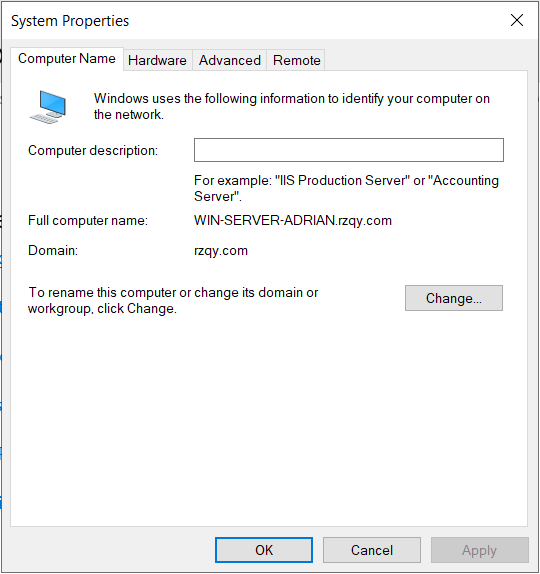
Setelah mengaktifkan AD DS, maka otomatis Windows Server anda akan otomatis terhubung ke Domain yang sudah kita buat pada AD DS
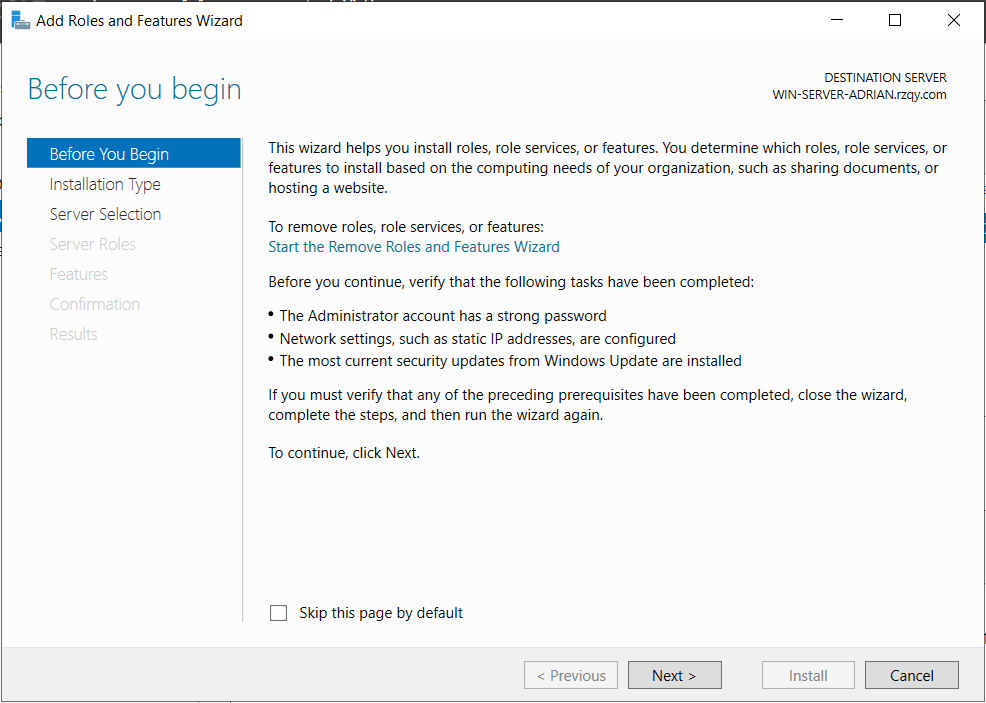
1. Buka Server Manager dan dan klik Manage kemudian Add Roles and Features

2. Klik Next
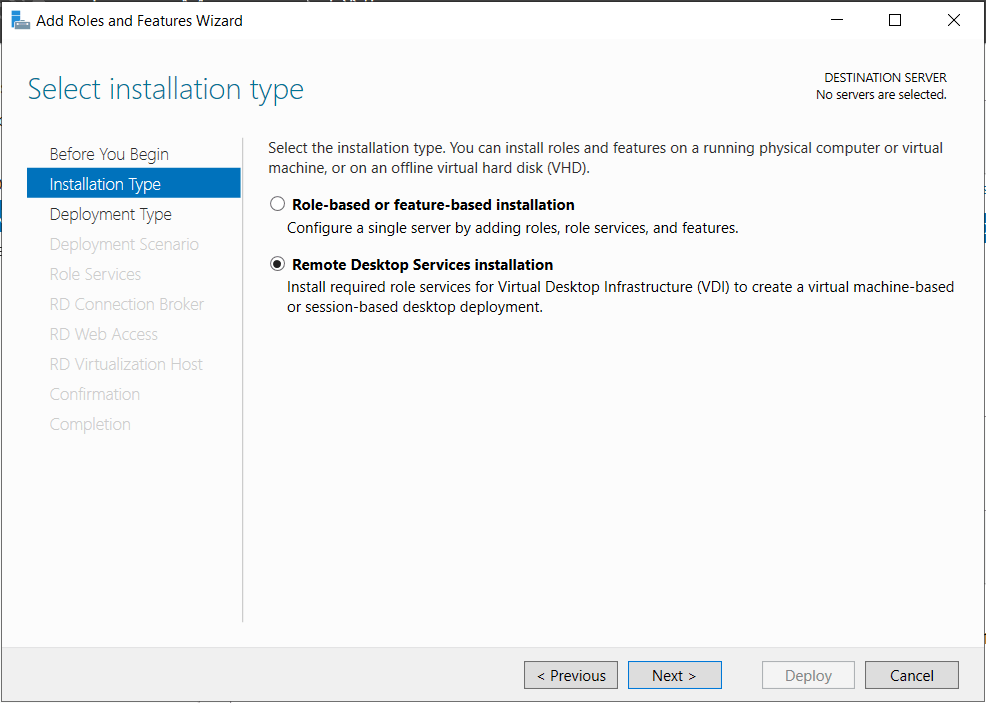
3. Pilih Remote Desktop Services installation
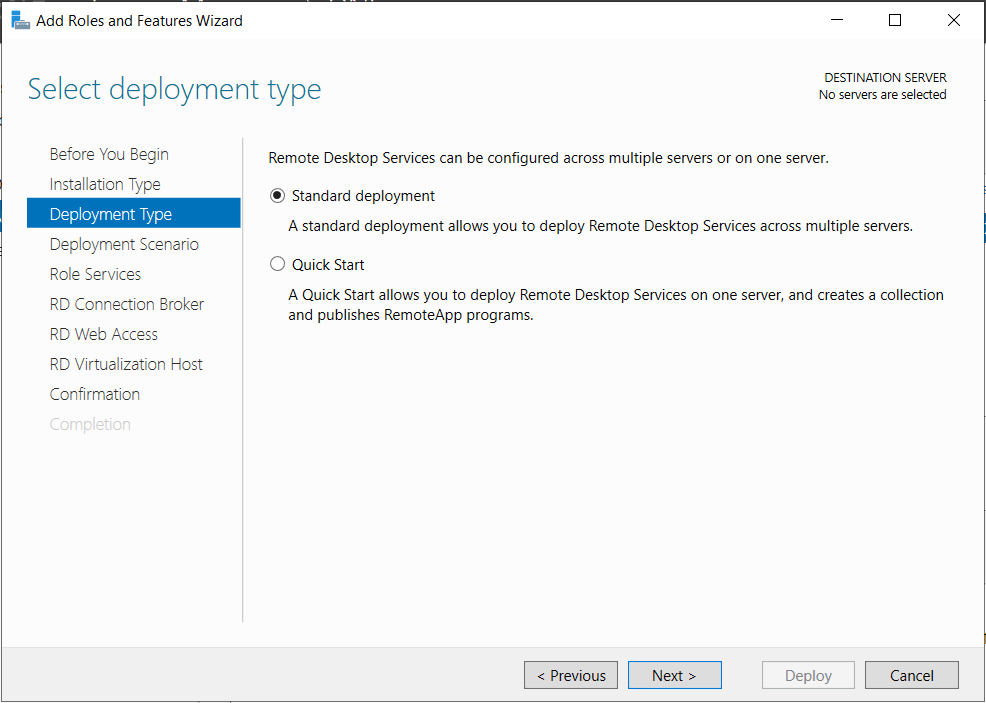
4. Pilih Standard deployment
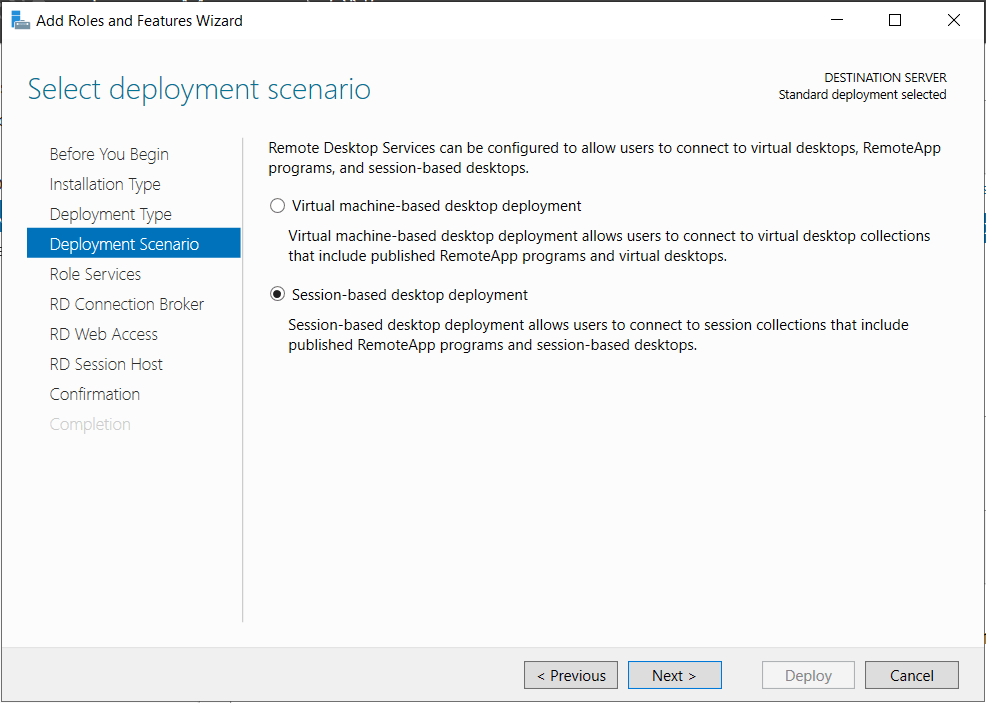
5. Pilih Session-based desktop deployment
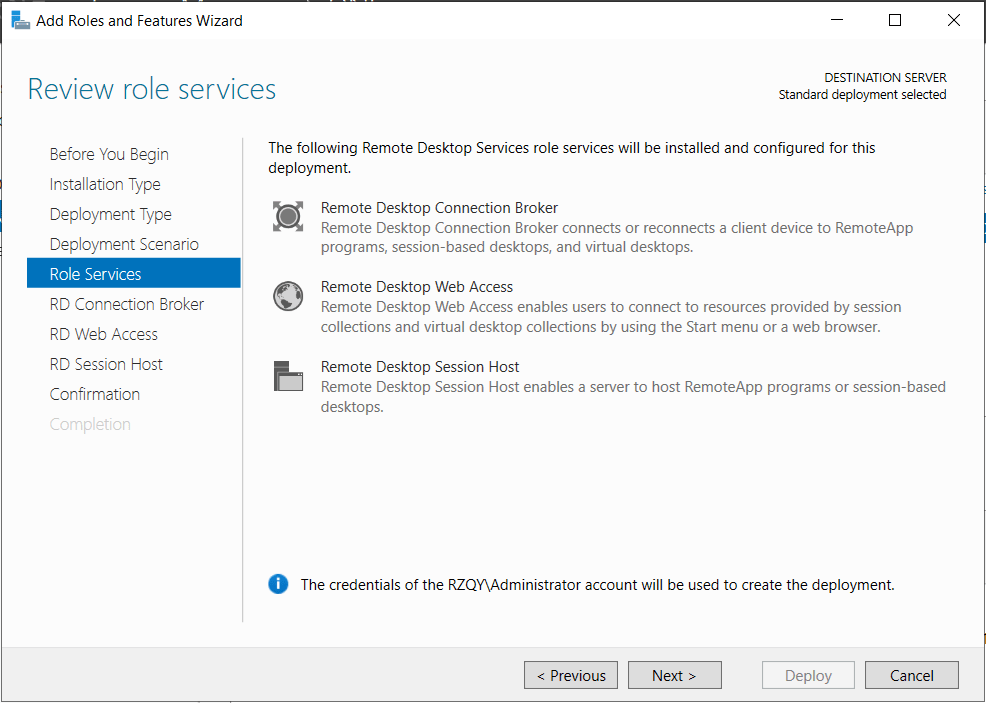
6. Klik Next
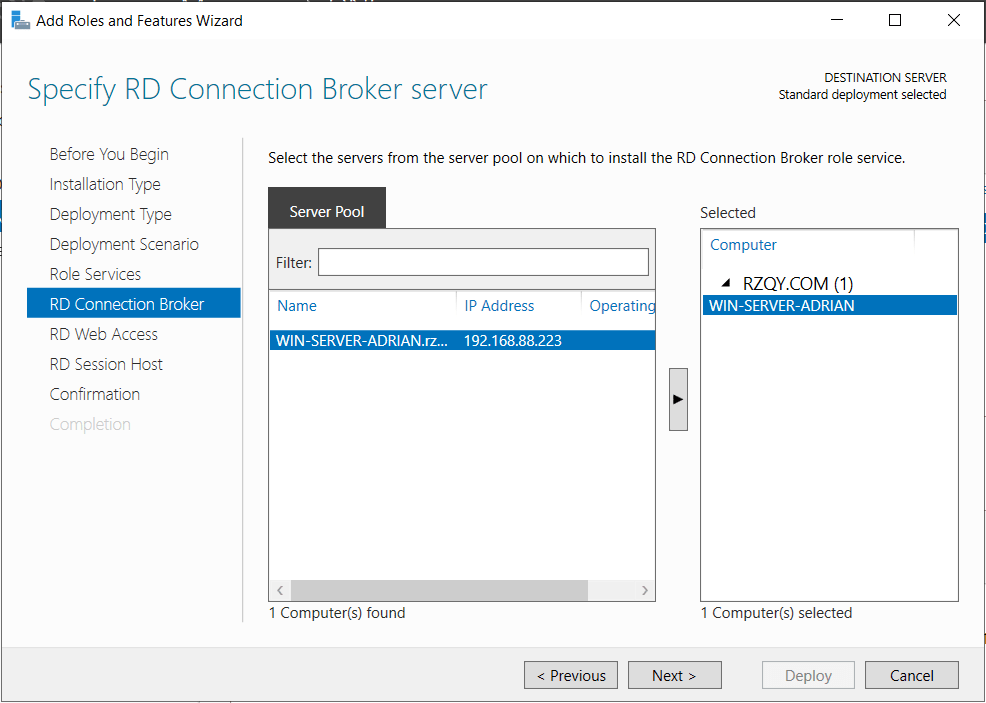
7. Klik dua kali pada Server kita
8. Centang Install the RD Web Access role service on the RD Connection Broke Server
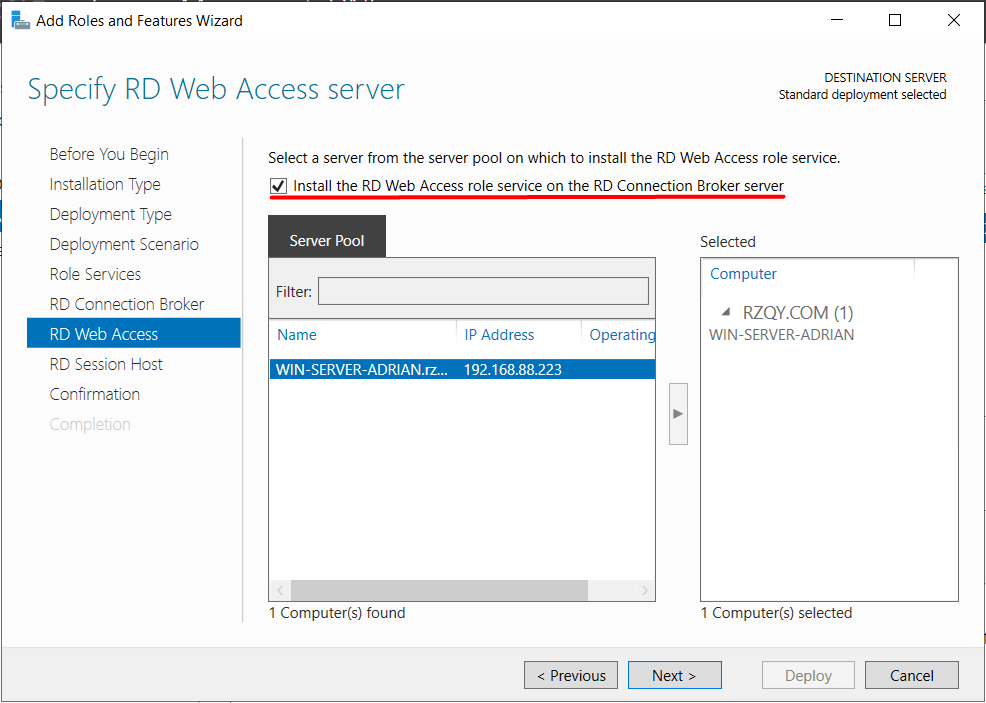
9. Klik dua kali pada Server kita
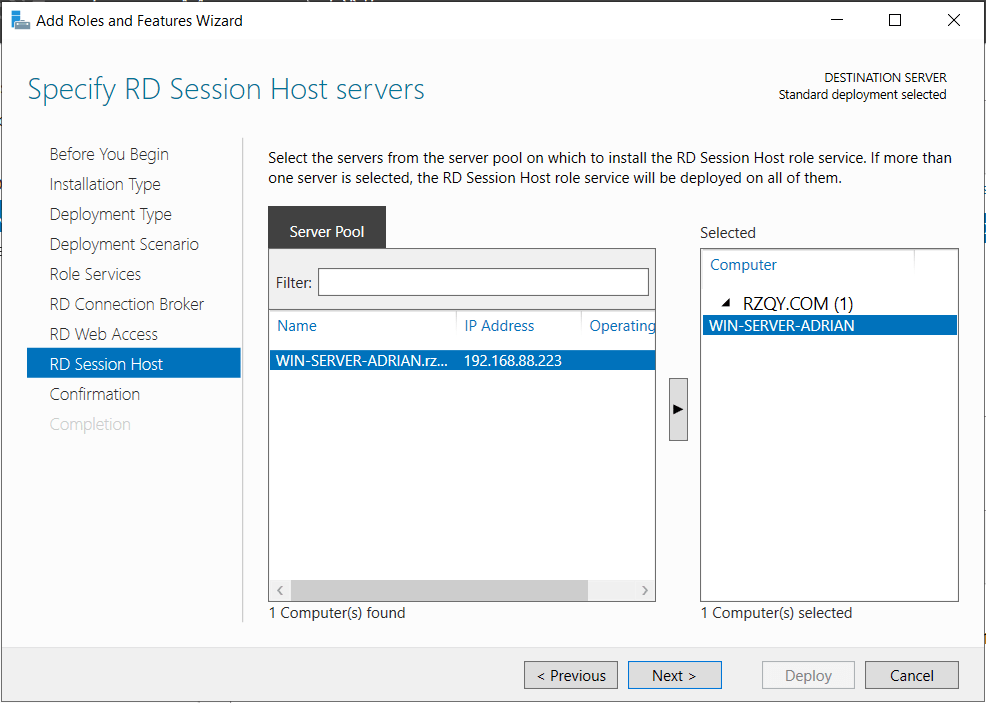
10. Centang Restart the destination server automatically if required
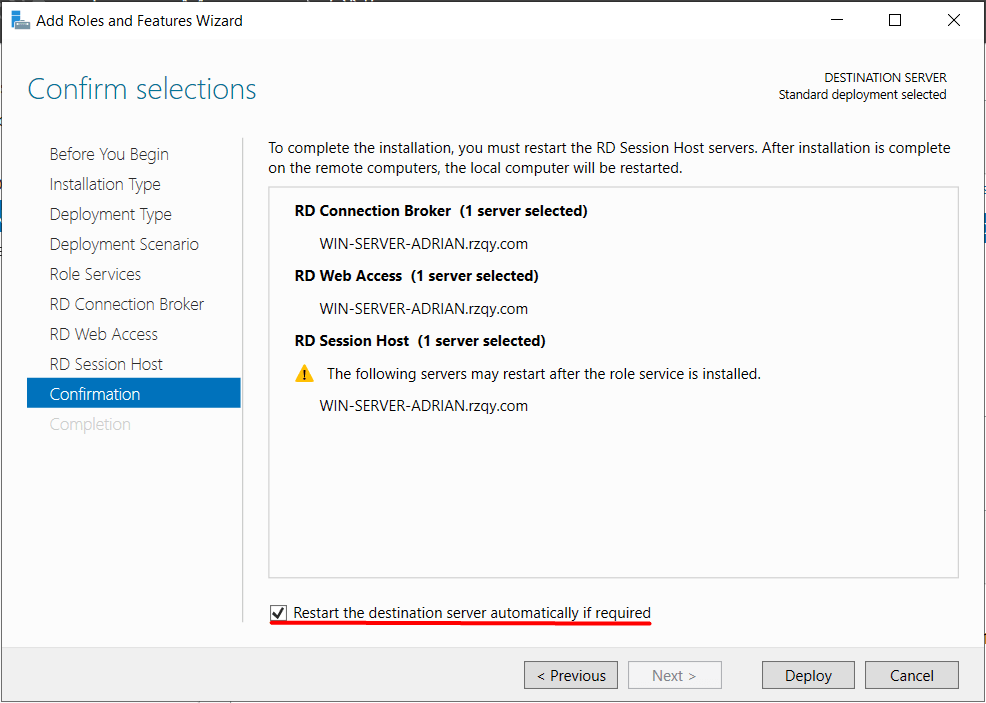
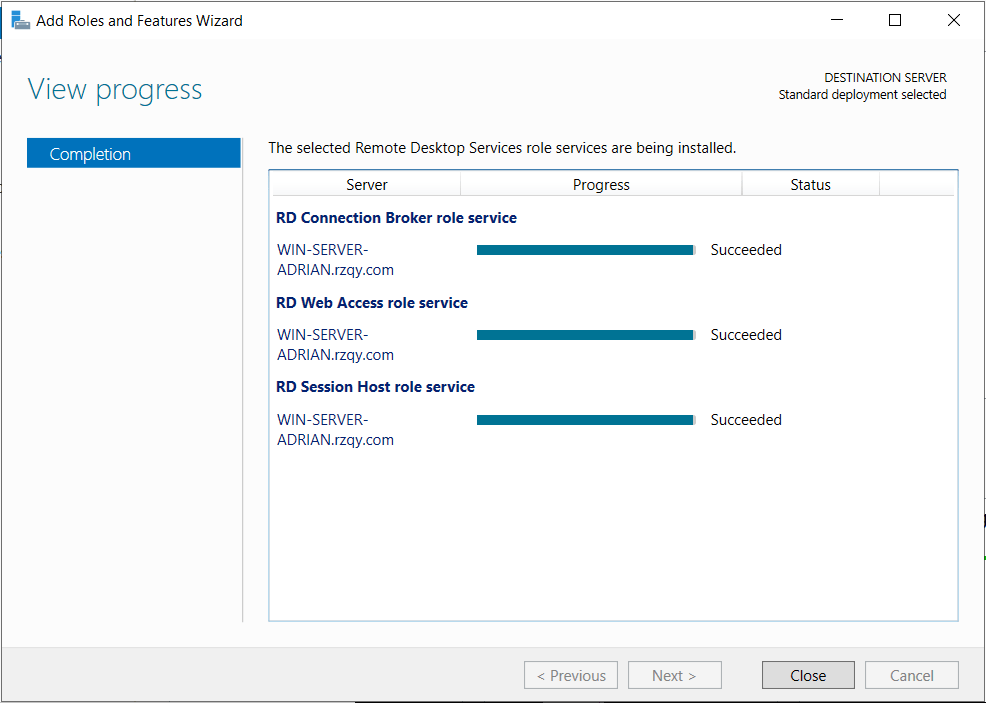
11. Tunggu hingga selesai
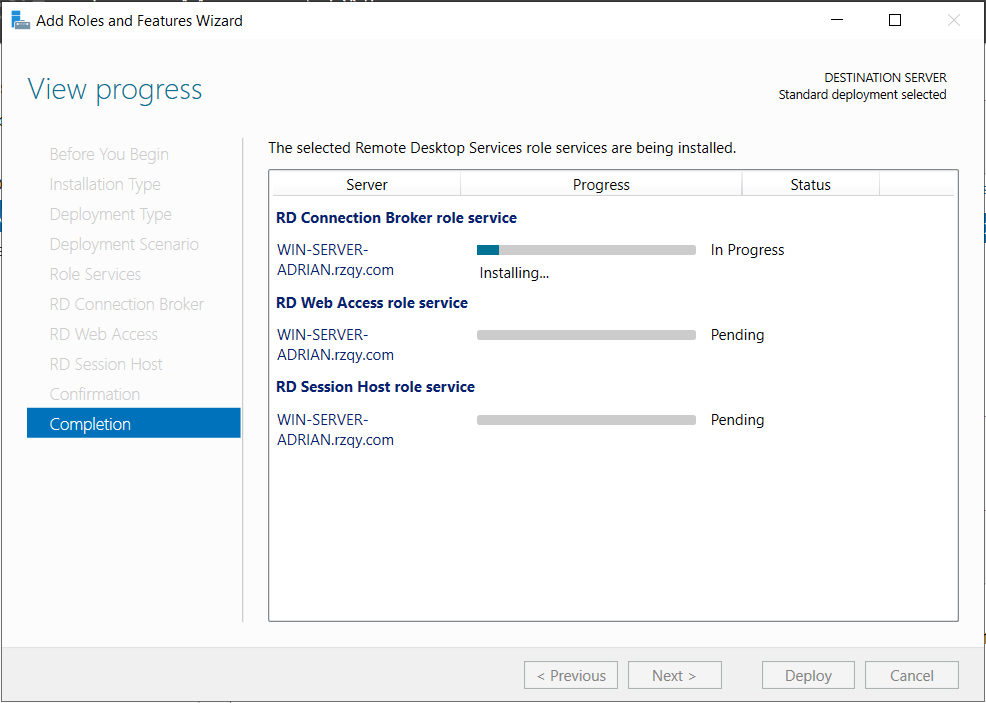
12. Instalasi sukses, klik Close
Terimakasih…
 KuTekno
1 Comment